Wendor Stock App
Put a serious field tool in the hands of the team at the machine. Wendor Stock App turns refills, audits, and machine tasks into fast, guided, verifiable execution.
- Users
- refillers and technicians
- Core job
- refill, audit, resolve, sync
- Works with
- VMS, field force, logistics
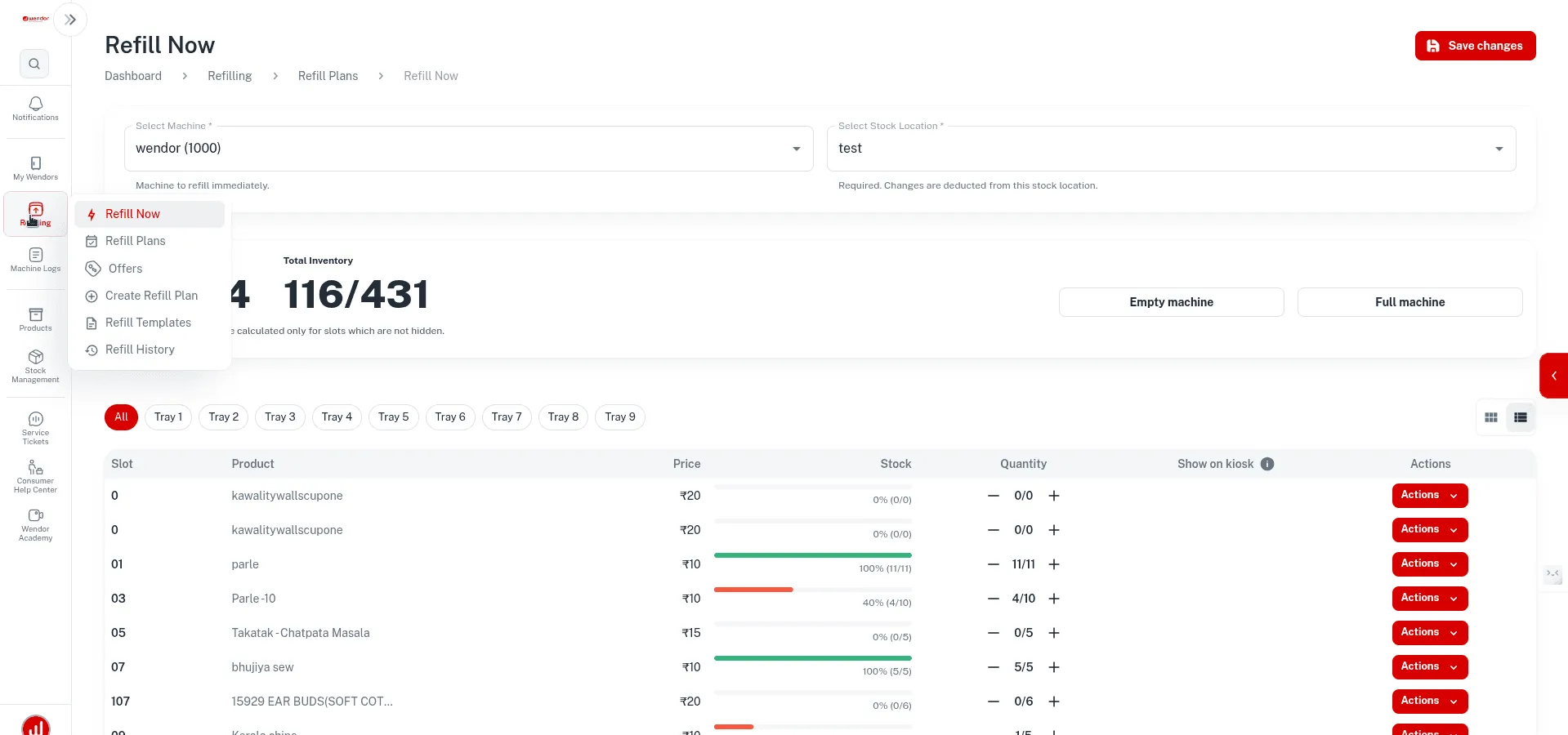
- Field loop
- arrive, verify, refill, sync
- Team posture
- guided, accountable, machine-linked
- Signal resilience
- offline-safe and sync-ready
-
Mobile-first
built for the person in front of the machine
-
Proof capture
attendance, audits, discrepancy logging
-
Back to VMS
tickets, refills, and close-out in one loop
Workflow
From refill plan to completed visit
Built for the realities of refill and audit work, not a generic mobile checklist.
-
Arrive and verify
The staff member checks in with the required location, task, and machine context already attached.
-
Refill or audit
The app guides quantities, captures discrepancies, and helps the team finish work with clarity.
-
Sync and close
Completed sessions and tickets move back into the wider operating system without manual reconciliation.
Capabilities
What the app improves
The Stock App improves both team speed and data quality.
-
Refill accuracy
Quantities, audits, and stock movement are tied directly to live operational records.
-
Verified actions
Check-ins, attendance rules, and task completion reduce blind spots in field work.
-
Operational feedback
Managers can compare execution quality across teams, routes, and machine clusters.
-
Offline resilience
Work can continue in weaker-signal environments and sync back once a connection returns.
In practice
A working app for people in front of the machine
Field staff work through guided sessions, reliable audits and task completion without paper or guesswork.
-
Guided refill sessions
Field staff follow machine-specific instructions instead of relying on memory or paperwork.
-
Audit precision
Stock checks, discrepancy reporting, and machine-side proof become part of the normal workflow.
-
Task lifecycle
Maintenance and refill actions tie back to the VMS so leadership sees work completion in one system.
What buyers get
What operators get
-
A field app connected to the rest of the Wendor stack.
-
Refill and audit workflows that are standardised, not improvised.
-
Photo proof and clear task steps instead of paperwork.
Next step
Where this fits in the software stack
Other linked modules
FAQ
Questions about the Wendor Stock App
Common questions about managing field operations with the Stock App.
Does the app work in locations with poor connectivity?
Yes, the Wendor Stock App can keep field work moving in low-signal environments.
Wendor VMS
- Core workflows continue and sync later
- Useful for refill teams working across inconsistent connectivity zones
How does background tracing affect phone battery?
The Stock App is designed to balance verification quality with practical mobile use.
Wendor VMS
- Location-linked workflows are tuned for real field usage
- The goal is accountability without making the app frustrating to carry all day
Is selfie verification mandatory for every check-in?
No, verification requirements can be configured based on the organization and workflow.
Wendor VMS
- Apply stricter proof only where it actually matters
- Keep field execution practical instead of overburdened
How are incentives calculated?
Incentives are driven by execution data captured through the wider Wendor VMS and field stack.
Wendor VMS
- Use refill, audit, or task-completion signals
- Managers can shape the rules around the operating model
Can technicians resolve maintenance tickets through the app?
Yes, technicians can work through relevant machine tasks inside the same mobile environment.
Wendor VMS
- Keeps machine work linked to the operating system
- Reduces the need for disconnected service tools
Confirm the scope before your software pilot
Hardware and data
Bring your machine and payment-provider list, existing exports and required workflows. Confirm connector availability, data migration and functions to test.
Access and responsibilities
Agree user roles, data ownership, export access and who handles stocking, refunds and service. Review security and privacy requirements with the team.
Commercial and support terms
Request a proposal separating software, integration and hardware charges. Confirm onboarding, support availability and pilot acceptance criteria in writing.
